Color is one of the most powerful communication tools in a designer’s arsenal. When you find the perfect shade of blue, you need to ensure it looks exactly the same whether it is printed on a business card or displayed on an iPhone screen. In the digital world, designers and developers constantly bridge the gap between different color formats. If you have ever been handed a brand guideline sheet filled with HEX codes but your coding framework strictly requires RGB values, you know the frustration. That is exactly where a HEX to RGB converter saves the day.
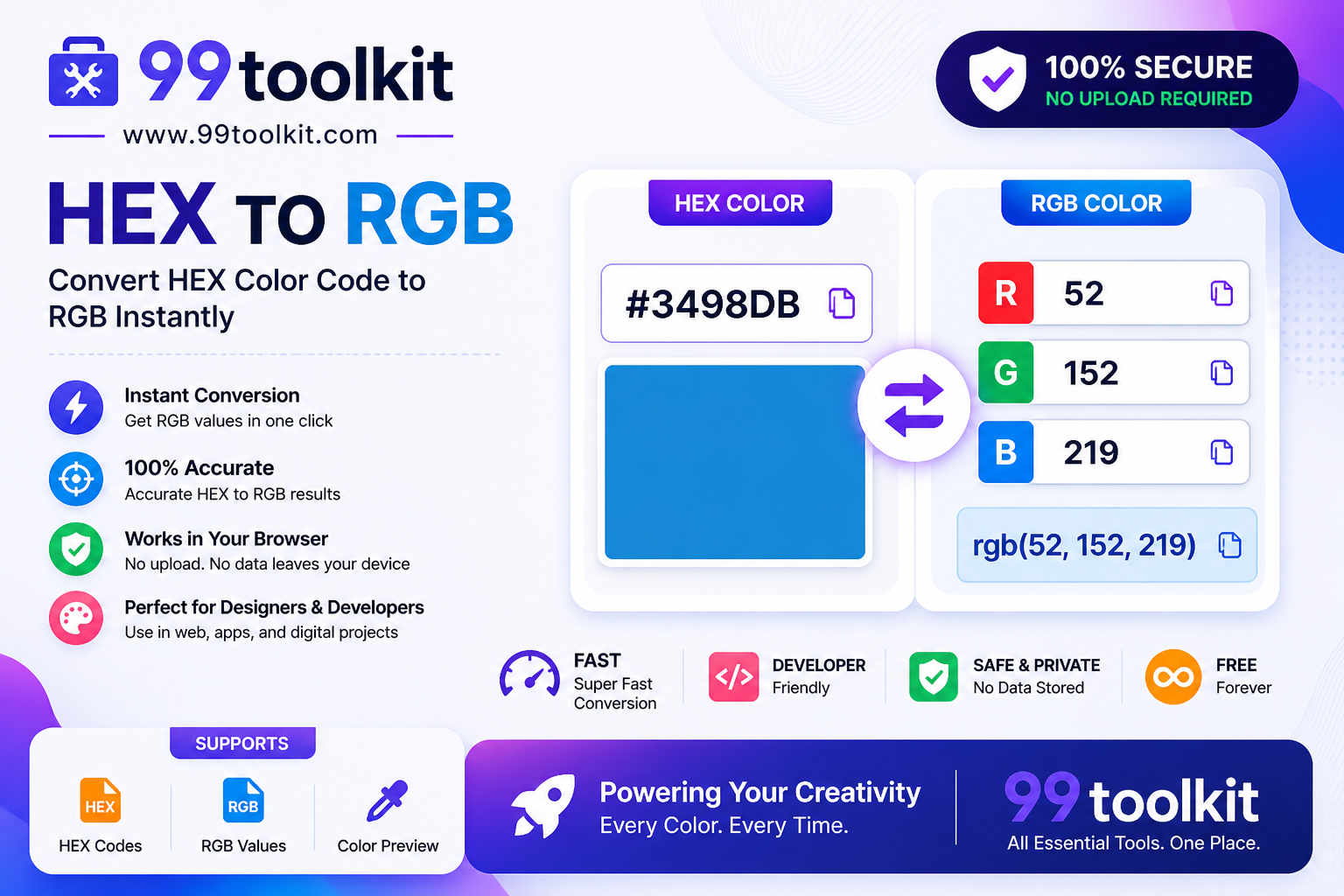
In this comprehensive guide, we will break down the differences between HEX and RGB color models, explain why converting between them is frequently necessary, and show you how to use the free HEX to RGB tool on 99toolkit to speed up your workflow.
What is a HEX to RGB Converter?
A HEX to RGB converter is a specialized design utility that translates a Hexadecimal color code (like #FF5733) into its corresponding Red, Green, and Blue numerical values (like rgb(255, 87, 51)).
While both formats ultimately tell a computer screen how to display a specific color, they are written in completely different mathematical languages. HEX is a base-16 alphanumeric system primarily used in HTML and CSS for its brevity. RGB, on the other hand, is a base-10 system that defines the exact intensity of light (from 0 to 255) for the three primary colors. A converter mathematically translates the base-16 code into the base-10 code instantly.
Key Features of the 99toolkit HEX to RGB Converter
Our converter is built for speed and precision. Here is why developers bookmark our tool:
- Instant Translation: Paste your HEX code and the RGB values appear in real-time. No clicking “submit” or waiting for page reloads.
- Supports Shorthand HEX: The tool easily understands 3-character shorthand codes (like #FFF) and correctly expands them to full RGB values (255, 255, 255).
- Live Color Preview: A dynamic swatch instantly displays the converted color, ensuring you typed the code correctly.
- One-Click Copy: Instantly copy the CSS-ready rgb() or rgba() string directly to your clipboard.
- Opacity Support (RGBA): Easily add an alpha channel to your converted color to control transparency.
How to Use the Converter (Step-by-Step)
Converting your colors is incredibly straightforward. Follow these simple steps:
- Locate Your HEX Code: Find the 6-character or 3-character code you need to convert (e.g., #4CAF50).
- Enter the Code: Type or paste the code into the input field on 99toolkit. You can include or omit the hashtag (#).
- Review the Output: The tool will instantly display the Red, Green, and Blue values in separate fields.
- Adjust Opacity (Optional): If you need your color to be semi-transparent, adjust the opacity slider to generate an RGBA value.
- Copy the Result: Click the copy button to grab the fully formatted CSS code and paste it into your stylesheet.
Why Convert Between HEX and RGB? (The Benefits)
Why not just stick to one color format? In modern web development, both formats have specific use cases:
- CSS Transparency: The most common reason developers convert HEX to RGB is to use the rgba() function in CSS. While modern CSS supports 8-digit hex codes for transparency, rgba() remains the industry standard for its readability and widespread legacy browser support.
- JavaScript Manipulations: When writing JavaScript to dynamically alter colors (like making a button darker when hovered), it is mathematically much easier to subtract values from RGB integers than it is to calculate base-16 HEX strings.
- Software Compatibility: Many video editing tools (like Adobe Premiere) and 3D modeling software strictly use RGB sliders. If a client hands you a web-based HEX code, you must convert it to use it in these programs.
Real-Life Use Cases
Who relies on this conversion tool daily?
Frontend Developers: When styling modern user interfaces, developers frequently need to add subtle drop shadows or glassmorphism effects. Converting a solid brand HEX color to an RGBA value allows them to apply a 10% opacity for a perfect, branded shadow.
UI/UX Designers: Designers transitioning assets between Sketch, Figma, and Adobe Illustrator often need to provide developers with complete style guides detailing both HEX and RGB values for absolute consistency.
Digital Artists: Digital painters working in Procreate or Photoshop often find color inspiration online (usually provided in HEX) and need to convert it to RGB to dial it into their color wheels.
Tips for Best Results
Make the most out of your color workflow with these tips:
- Understand Shorthand: Remember that #09C is exactly the same as #0099CC. Good converters handle both effortlessly.
- Check Contrast: After converting your background color, make sure your text is readable by running the combination through our Contrast Checker.
- Use CSS Variables: If you convert a HEX code to RGB, consider storing those raw RGB numbers in a CSS variable. E.g., –brand-rgb: 255, 87, 51;. Then you can use it anywhere like rgba(var(–brand-rgb), 0.5).
Common Mistakes to Avoid
Watch out for these minor pitfalls when working with color codes:
- Forgetting the Alpha Channel: If you convert to RGB to use transparency but forget to use rgba() instead of rgb(), your CSS will break.
- Typing the Letter ‘O’ instead of Zero: HEX codes only use numbers 0-9 and letters A-F. A common typo is using the letter ‘O’, which results in an invalid color code.
Need to go the other direction? Use our reverse RGB to HEX converter. Once you have all your colors formatted correctly, test them out with our Color Palette Generator.
FAQs
1. Is HEX better than RGB?
Neither is inherently “better.” They both display the exact same colors on a screen. HEX is generally preferred for static CSS because it is shorter and easier to copy-paste, while RGB is preferred when you need to manipulate transparency.
2. Can HEX display exactly the same colors as RGB?
Yes. Standard HEX and standard RGB both support the exact same spectrum of 16.7 million colors (the standard sRGB color space).
3. What does the “A” in RGBA stand for?
The “A” stands for Alpha. The alpha channel controls the opacity of the color. A value of 1.0 is completely solid, while a value of 0.0 is completely invisible.
4. Does converting colors reduce image quality?
No. HEX to RGB conversion is a purely mathematical translation of text codes used in coding. It has nothing to do with image file compression or quality.
5. Is the 99toolkit HEX to RGB converter free?
Yes! You can convert as many color codes as you want, completely free of charge.
Conclusion
Translating between color formats shouldn’t slow down your creative process. A reliable converter is an indispensable micro-tool that bridges the gap between design software and frontend code.
Stop doing base-16 math in your head. Bookmark the free HEX to RGB converter on 99toolkit today, and keep your design and development workflow fast, accurate, and completely seamless.