We live in a paperless world. From signed employment contracts and digital invoices to academic research papers and real estate forms, the Portable Document Format (PDF) is the undisputed king of digital paperwork. It is universal, formatting-safe, and professional. However, there is a catch: PDFs were specifically designed to be difficult to alter. When a client sends you a PDF contract and asks you to “just fill in page 3 and delete page 5,” panic usually sets in. Premium software like Adobe Acrobat costs hundreds of dollars a year. To handle digital documents efficiently and affordably, you need a reliable Online PDF Editor.
In this guide, we will explore the challenges of managing PDF files, why browser-based tools are the future of document workflows, and how you can use the free suite of PDF utilities on 99toolkit to modify your files instantly.
What is an Online PDF Editor?
An online PDF editor is a web-based application that allows you to manipulate, merge, split, compress, and annotate PDF files directly inside your internet browser, without downloading or installing any heavy desktop software.
Traditionally, modifying a PDF required expensive software because the format is complex—it is essentially a fixed visual map of text and images. Modern online editors utilize powerful cloud servers (or advanced client-side JavaScript) to deconstruct the file, allow you to make your changes, and instantly re-render the document as a pristine, flattened PDF ready for download.
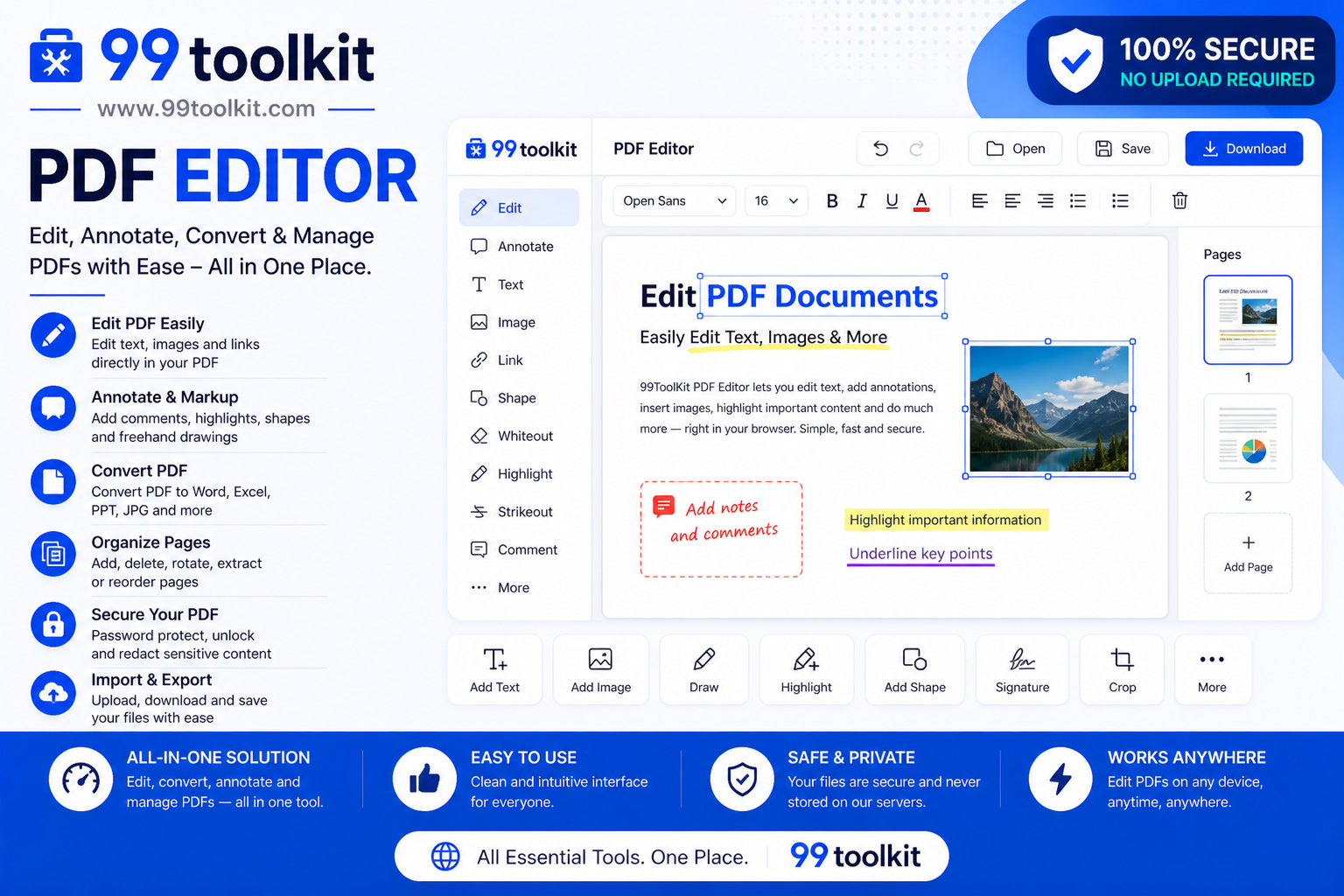
Key Features of the 99toolkit PDF Editor Suite
Our document tools are built to solve your most frustrating paperwork problems in seconds. Here is what you can do:
- Merge PDFs: Combine multiple separate PDF files (like an invoice, a cover letter, and a portfolio) into a single, cohesive document.
- Split PDFs: Extract a single important page (or a range of pages) from a massive 100-page report and save it as its own file.
- Compress Files: Drastically reduce the file size of your PDF so it can be successfully attached to an email without bouncing back.
- Convert to/from PDF: Seamlessly change images (JPG/PNG) into PDFs, or convert a PDF document into standard text.
- No Watermarks: Unlike many free tools on the internet, our utilities process your documents without stamping huge, ugly watermarks across your professional files.
How to Use the PDF Utilities (Step-by-Step)
Manipulating your documents is incredibly intuitive. For example, here is how to merge files:
- Select Your Tool: Navigate to the specific PDF utility you need on 99toolkit (e.g., “Merge PDF”).
- Upload Your Files: Click the upload button or simply drag and drop your PDF files directly into the browser window.
- Arrange the Order: If you are merging, drag the file thumbnails around to set the exact order you want them to appear in the final document.
- Process the File: Click the action button (e.g., “Merge” or “Compress”). The tool will process the complex data in seconds.
- Download the Result: Click the download button to save the newly modified PDF directly to your computer.
Why You Need a Dedicated PDF Tool (The Benefits)
Relying on a fast, online editor provides several massive advantages over traditional workflows:
- Saves Money: You no longer need to pay exorbitant monthly subscription fees for enterprise software just to delete a blank page from a document once a month.
- Device Independence: Because the tool runs in your browser, you can merge or compress PDFs on a Windows PC, a Mac, a Chromebook, or even your smartphone while commuting.
- Speeds Up Communication: When an email system rejects your file for being “Over 25MB,” you can compress it instantly and send it right away, rather than delaying important business.
Real-Life Use Cases
Who relies on online PDF utilities every single day?
Freelancers and Job Seekers: When applying for a job, applicants frequently use the Merge PDF tool to combine their cover letter, their resume, and their letters of recommendation into one clean file for the hiring manager.
Real Estate Agents: Agents constantly deal with massive, 50-page property disclosures. They use the Split PDF tool to extract only the signature pages to send to their clients, saving time and confusion.
Students and Academics: University portals often have strict file size limits for assignment uploads. Students rely on the Compress PDF tool to shrink their heavily illustrated research papers so they can submit them before the deadline.
Tips for Best Results
Manage your digital paperwork like a pro with these tips:
- Compress Images First: If you are creating a PDF from images, use our Image Compressor on the raw JPGs first. This guarantees your final PDF will be incredibly lightweight.
- Check for Password Protection: Most online editors cannot merge or split a file if it is heavily encrypted by the original creator. Ensure the document is unlocked before trying to edit it.
- Always Review Before Sending: After merging several documents, always open the final downloaded PDF to ensure the pages are in the correct logical order before emailing it to a boss or client.
Common Mistakes to Avoid
Avoid these frustrating document errors:
- Over-Compressing: If you compress a PDF that is primarily text, it will look fine. But if you highly compress a PDF portfolio full of photography, the images will become heavily pixelated. Always choose a balanced compression setting.
- Uploading Sensitive Data to Untrusted Sites: Be very careful when uploading tax returns or medical records to random internet sites. Ensure you are using a trusted, secure platform like 99toolkit that respects user privacy.
Need to turn your PDF text into spoken audio? Try our Text to Speech tool. Need to translate the extracted text? Use the Language Translator.
FAQs
1. Is it safe to upload my documents to an online editor?
Yes. Reputable tools use secure, encrypted connections (HTTPS) during the upload process, and the files are automatically and permanently deleted from the processing servers shortly after your download is complete.
2. Can I edit the actual text inside the PDF?
Our current suite focuses on structural manipulation (merging, splitting, compressing, and converting). Deep text-editing (changing a specific typo within a flattened paragraph) generally requires dedicated desktop software or original source files.
3. Why did my file size barely change after compressing?
Compression tools work by reducing the resolution of embedded images and fonts. If your PDF is 100% pure text with no images, it is already as small as it can possibly be, and compression will have little effect.
4. Does merging PDFs reduce the quality?
No. Merging simply stitches the digital pages together. There is absolutely no loss of text clarity or image resolution during the merge process.
5. Is the 99toolkit PDF Editor suite free?
Absolutely. You can merge, split, and compress your professional documents entirely for free, without downloading any software.
Conclusion
Dealing with digital paperwork shouldn’t require a degree in computer science or a massive software budget. With the right online tools, managing PDFs is fast, easy, and completely painless.
Streamline your digital workflow today. Bookmark the free PDF Editor suite on 99toolkit, take total control of your documents, and never let a stubborn file slow down your day again.