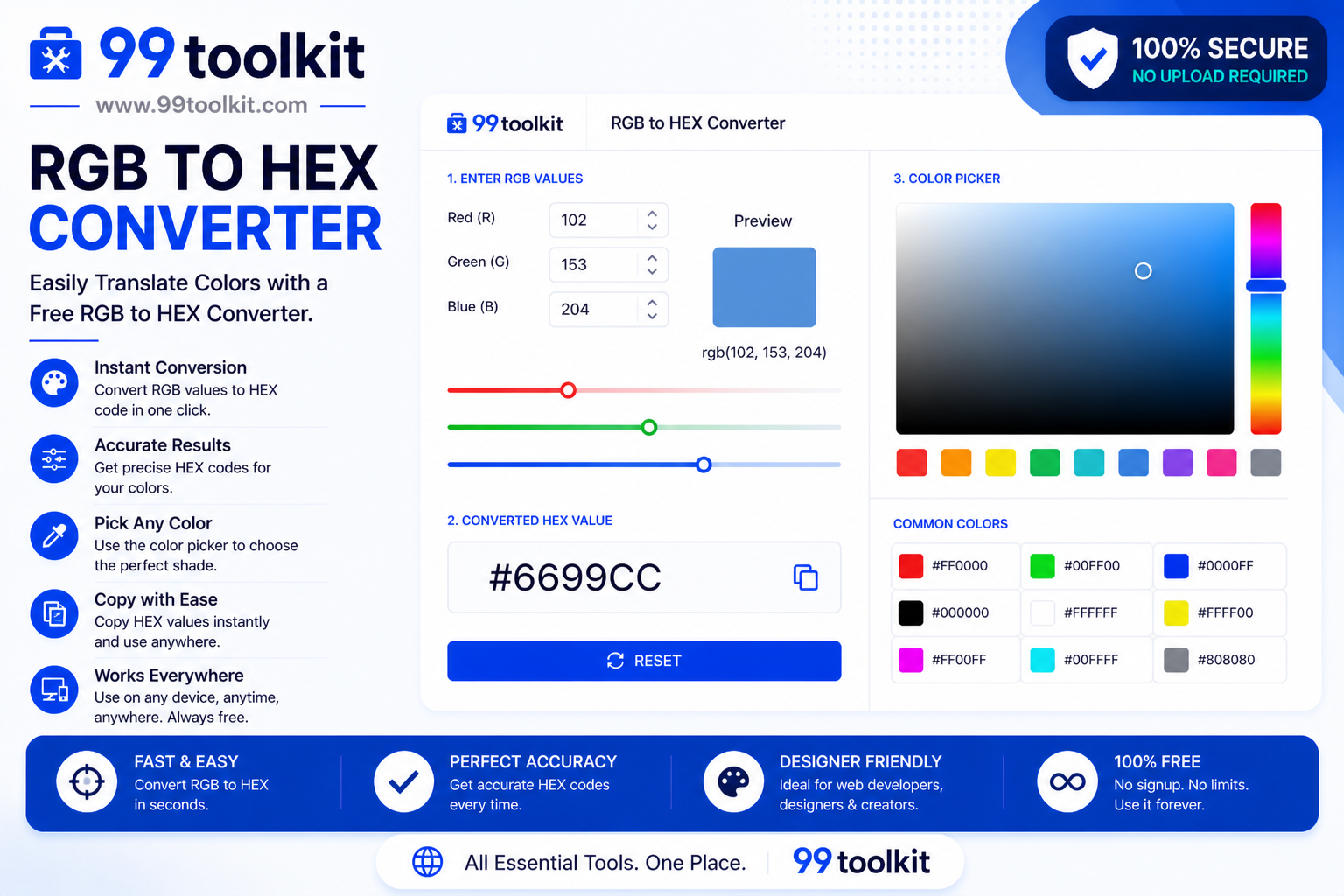
If you work in graphic design, web development, or digital marketing, you deal with color codes every single day. The challenge? Different software programs and coding languages speak entirely different color dialects. If a client hands you a logo designed in Adobe Photoshop, they will likely provide the colors in an RGB format. However, when you sit down to write the CSS for their new website, using a Hexadecimal (HEX) code is almost always the preferred, cleaner method. Bridging this gap requires precision, which is why developers rely on a robust RGB to HEX converter.
In this guide, we will explore the fundamental differences between the RGB and HEX color models, explain why web developers prefer HEX in stylesheets, and show you how to use the free 99toolkit converter to speed up your design handoffs.
What is an RGB to HEX Converter?
An RGB to HEX converter is a digital utility that translates a base-10 RGB color value—which consists of three numbers representing Red, Green, and Blue (e.g., rgb(255, 87, 51))—into a base-16 Hexadecimal string (e.g., #FF5733).
Despite looking entirely different, both of these codes tell a digital screen to display the exact same color. RGB uses numbers from 0 to 255 to dictate the intensity of the light, while HEX uses numbers (0-9) and letters (A-F) to represent those exact same intensities in a much shorter, copy-paste friendly format. The converter simply performs the mathematical translation between the two systems instantly.
Key Features of the 99toolkit RGB to HEX Converter
Our color tool is designed to eliminate friction in your coding workflow. Here is what makes it the best choice for designers:
- Instant Mathematical Translation: Enter your three RGB values and the 6-digit HEX code appears in real-time. No waiting or page reloads.
- Live Color Swatch: A visual preview box updates instantly, allowing you to visually confirm that the RGB numbers you typed match the color you expect.
- One-Click CSS Copying: Copy the fully formatted # code directly to your clipboard so it is ready to drop into your stylesheet.
- Error Handling: The tool automatically prevents you from entering invalid RGB numbers (like 300), ensuring your resulting HEX code is always valid.
- Mobile Optimized: Need to check a color from a brand PDF while away from your desk? The tool works perfectly on all smartphone browsers.
How to Use the Converter (Step-by-Step)
Converting your RGB values into clean CSS takes only seconds. Follow these steps:
- Locate Your RGB Values: Find the Red, Green, and Blue integers provided by your design software (Photoshop, Illustrator, etc.).
- Enter the Red Value: Type the first number (between 0 and 255) into the “Red” input field.
- Enter the Green Value: Type the second number into the “Green” input field.
- Enter the Blue Value: Type the third number into the “Blue” input field.
- Copy the HEX Code: The tool will instantly generate the #HEX code in the output box. Click the copy button to save it to your clipboard.
Why Convert RGB to HEX? (The Benefits)
If CSS supports both RGB and HEX, why do developers bother converting? There are several compelling reasons:
- Cleaner Code: A HEX code (#FF5733) is significantly shorter than an RGB string (rgb(255, 87, 51)). When writing thousands of lines of CSS, shorter codes make the document easier to read and scan.
- Easier Copy-Pasting: Selecting and copying a single 7-character string (including the hashtag) is much faster and less error-prone than trying to highlight a string with parentheses and commas.
- Shorthand Capabilities: HEX codes allow for 3-digit shorthand. If your color is #FF0000 (pure red), you can just write #F00. This reduces CSS file sizes slightly, improving page load speeds.
- Design System Standardization: Most modern UI frameworks (like Tailwind CSS or Bootstrap) and design systems use HEX codes as their foundational variables.
Real-Life Use Cases
Who uses an RGB to HEX converter on a daily basis?
Frontend Developers: When a UI designer hands off a Figma or Photoshop file, the developer must inspect the elements to build the website. If the design tool exports colors in RGB, the developer uses a converter to standardize the website’s CSS variables into HEX.
Digital Marketers: When setting up email marketing campaigns in platforms like Mailchimp or HubSpot, the brand colors must be entered as HEX codes. Marketers often pull RGB values from corporate PDF brand guidelines and convert them for the web.
App Developers: Mobile app development frameworks (like React Native or Flutter) often rely heavily on Hexadecimal strings for styling UI components. Converting colors accurately ensures brand consistency across iOS and Android.
Tips for Best Results
Make your web design process smoother with these color tips:
- Use CSS Custom Properties: Once you convert your colors to HEX, store them as CSS variables at the root of your document (e.g., –primary-brand: #FF5733;). This way, if the brand color ever changes, you only have to update it in one place.
- Verify Accessibility: Converting a color doesn’t mean it is safe to use as text. Always run your newly converted HEX code through our Contrast Checker to ensure it passes WCAG readability standards.
Common Mistakes to Avoid
Watch out for these minor pitfalls when dealing with color conversion:
- Ignoring the Alpha Channel: Standard 6-digit HEX codes do not support transparency. If your original RGB color was an rgba() value with 50% opacity, converting it to a standard HEX will make it 100% solid. You must either use an 8-digit HEX code or stick to rgba().
- Typing Percentages: Some older software displays RGB values as percentages (e.g., Red: 100%, Green: 50%). Our converter requires absolute integers (0-255). 100% equals 255.
Need to go backward from a stylesheet to a design program? Use our reverse HEX to RGB converter. Want to see how your colors look together? Try our Color Palette Generator.
FAQs
1. Is HEX better for websites than RGB?
For solid colors, HEX is generally preferred in the web development industry because it is concise and easy to read in code. However, RGB is preferred when you need to use the CSS rgba() function to apply transparency.
2. Can a HEX code display fewer colors than RGB?
No. Both 6-digit HEX and standard RGB operate in the 24-bit color space, meaning they both support exactly 16,777,216 distinct colors. There is no quality loss in conversion.
3. Why do some HEX codes only have 3 letters?
This is called shorthand HEX. If the pairs of a 6-digit code are identical, they can be shortened. For example, #FF3300 can be shortened to #F30. The browser renders them exactly the same.
4. Does it matter if I use uppercase or lowercase letters for HEX?
No. CSS is case-insensitive when it comes to HEX codes. #ff5733 is interpreted exactly the same as #FF5733. However, sticking to one style (usually uppercase) keeps your code looking professional.
5. Is the 99toolkit RGB to HEX converter free?
Yes! You can translate as many color codes as you need, completely free of charge and without any limits.
Conclusion
Dealing with incompatible color formats is a minor annoyance that can quickly slow down a major web project. Having a reliable, instant conversion tool ensures your brand colors remain perfectly accurate across every platform.
Stop doing base-16 mathematics manually. Bookmark the free RGB to HEX converter on 99toolkit today, streamline your design handoffs, and keep your CSS clean and professional.