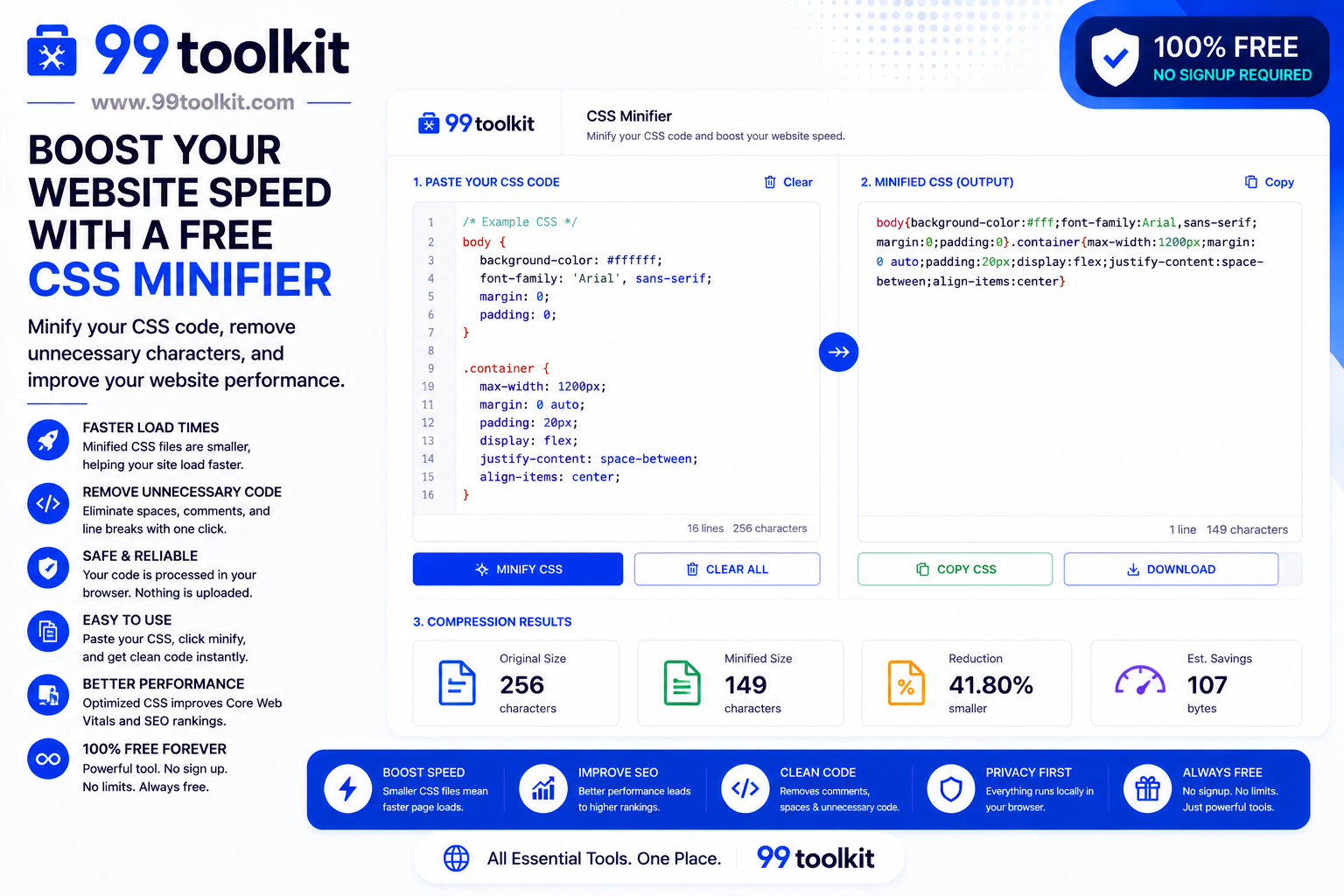
When building a website, developers write CSS (Cascading Style Sheets) to make things look beautiful. To make the code readable for humans, they use lots of spaces, line breaks, indentations, and helpful comments. However, web browsers don’t care about human readability. To a browser, all those extra spaces are just dead weight—unnecessary bytes of data that must be downloaded before the website can be displayed. If your CSS file is huge, your website will load slowly, users will leave, and Google will penalize your search rankings. To solve this, you need a CSS Minifier.
In this guide, we will explain what minification is, why website speed is the most critical metric in modern SEO, and how you can use the free CSS Minifier on 99toolkit to instantly optimize your code for production.
What is a CSS Minifier?
A CSS Minifier is a performance optimization tool that takes your beautifully formatted, human-readable CSS code and ruthlessly strips out everything that isn’t strictly necessary for the computer to understand it.
It removes all spaces, tabs, line breaks, and comments. It also performs micro-optimizations, such as converting 0px to simply 0, or changing #ff0000 to the shorthand #f00. The resulting output is a massive, single block of text that is completely unreadable to a human but perfectly legible to a browser. This process can reduce the file size of your stylesheet by up to 30%, resulting in drastically faster download times.
Key Features of the 99toolkit CSS Minifier
Our minification tool is designed for developers who demand peak performance. Here is what it offers:
- Instant Compression: Paste thousands of lines of CSS and watch the tool compress it in milliseconds.
- Advanced Optimization: Beyond just removing spaces, the tool intelligently rewrites color codes and strips unnecessary semicolons to shave off every possible byte.
- Error Handling: If you have a missing bracket or a severe syntax error in your original code, the tool will gracefully ignore it rather than breaking your entire stylesheet.
- Client-Side Processing: Your proprietary codebase is never sent to our servers. All minification happens securely within your local browser.
- One-Click Copy: Instantly copy the minified code block to paste into your production server.
How to Use the CSS Minifier (Step-by-Step)
Optimizing your stylesheet takes less than five seconds. Follow these steps:
- Prepare Your Code: Finish writing your CSS and ensure it works perfectly in your development environment. Keep a backup of this human-readable version!
- Paste the Code: Copy your entire CSS file and paste it into the input box on 99toolkit.
- Minify: Click the “Minify CSS” button.
- Review the Savings: The tool will instantly output the compressed code and show you exactly how many bytes of data you saved.
- Copy and Deploy: Click the copy button, paste the minified code into a new file (typically named style.min.css), and upload it to your live website.
Why Minification is Crucial (The Benefits)
Why go through the effort of scrambling your code? Because speed dictates success on the internet:
- Improves Google SEO: Google’s Core Web Vitals heavily factor in “First Contentful Paint” (how fast the site visually loads). A smaller CSS file means the browser renders the page faster, leading to higher search rankings.
- Lowers Bounce Rates: Studies show that if a mobile page takes longer than 3 seconds to load, 53% of users will abandon it. Minification keeps your users on the page.
- Saves Bandwidth Costs: If your website gets 100,000 visitors a month, reducing your CSS file by 50KB saves you gigabytes of server bandwidth, potentially lowering your hosting bill.
Real-Life Use Cases
Who relies on code minification before hitting publish?
Frontend Web Developers: Before pushing a new website update live to the public, developers run all their CSS and JavaScript files through minifiers as part of their standard deployment pipeline.
WordPress Theme Creators: To ensure their theme gets 5-star reviews for speed, theme developers provide a standard style.css for editing, but force the live website to load a highly compressed style.min.css.
E-commerce Owners: Online stores rely on massive CSS frameworks to style product grids. Store owners minify these massive files to ensure customers on slow 3G mobile connections can still shop quickly without frustration.
Tips for Best Results
Manage your codebase like a professional with these tips:
- Always Keep the Original: Once code is minified, it is nearly impossible for a human to edit it later. ALWAYS keep your original, spaced-out file (e.g., style.css) for editing, and only use the minified version (style.min.css) for the live website.
- Combine Before You Minify: If your website uses 5 different CSS files, it is much faster to copy the text from all 5, paste them into the minifier together, and output a single, unified CSS file. This reduces HTTP requests.
Common Mistakes to Avoid
Avoid these deployment errors:
- Minifying Broken Code: A minifier does not fix bugs. If you forgot a closing bracket in your original code, the minifier will compress the broken code, which will completely destroy your website’s layout.
- Editing the Minified File: If you find a typo on the live site, do not try to fix it inside the style.min.css file. Fix it in the original readable file, and re-minify the whole thing.
While minifying CSS is great, images are usually the biggest culprits of a slow website. Make sure you are also compressing your photography with our Image Compressor.
FAQs
1. Will minifying my CSS change how my website looks?
No. Minification only removes spaces and comments that the browser ignores anyway. The actual layout instructions remain mathematically identical.
2. Is there a way to un-minify code?
Yes. If you lose your original file, you can use a CSS Beautifier or CSS Formatter to automatically add line breaks and spaces back in, though it will not be able to recover your deleted comments.
3. Do I need to minify HTML and JavaScript too?
Yes! For maximum performance, all three foundational web languages (HTML, CSS, and JS) should be minified before launching a production website.
4. Does minification affect CSS variables?
No. Modern minifiers are smart enough to leave your CSS custom properties (variables) perfectly intact while compressing the surrounding structure.
5. Is the 99toolkit CSS minifier free?
Absolutely. You can compress unlimited CSS code blocks entirely for free, with no file size limits.
Conclusion
In the modern digital landscape, speed is a feature. Users expect your website to load instantly, and search engines penalize you if it doesn’t. Stripping away unnecessary code is the easiest performance win available to developers.
Make your website lightning-fast today. Bookmark the free CSS Minifier on 99toolkit, optimize your stylesheets in seconds, and deliver a premium, high-speed experience to your users.