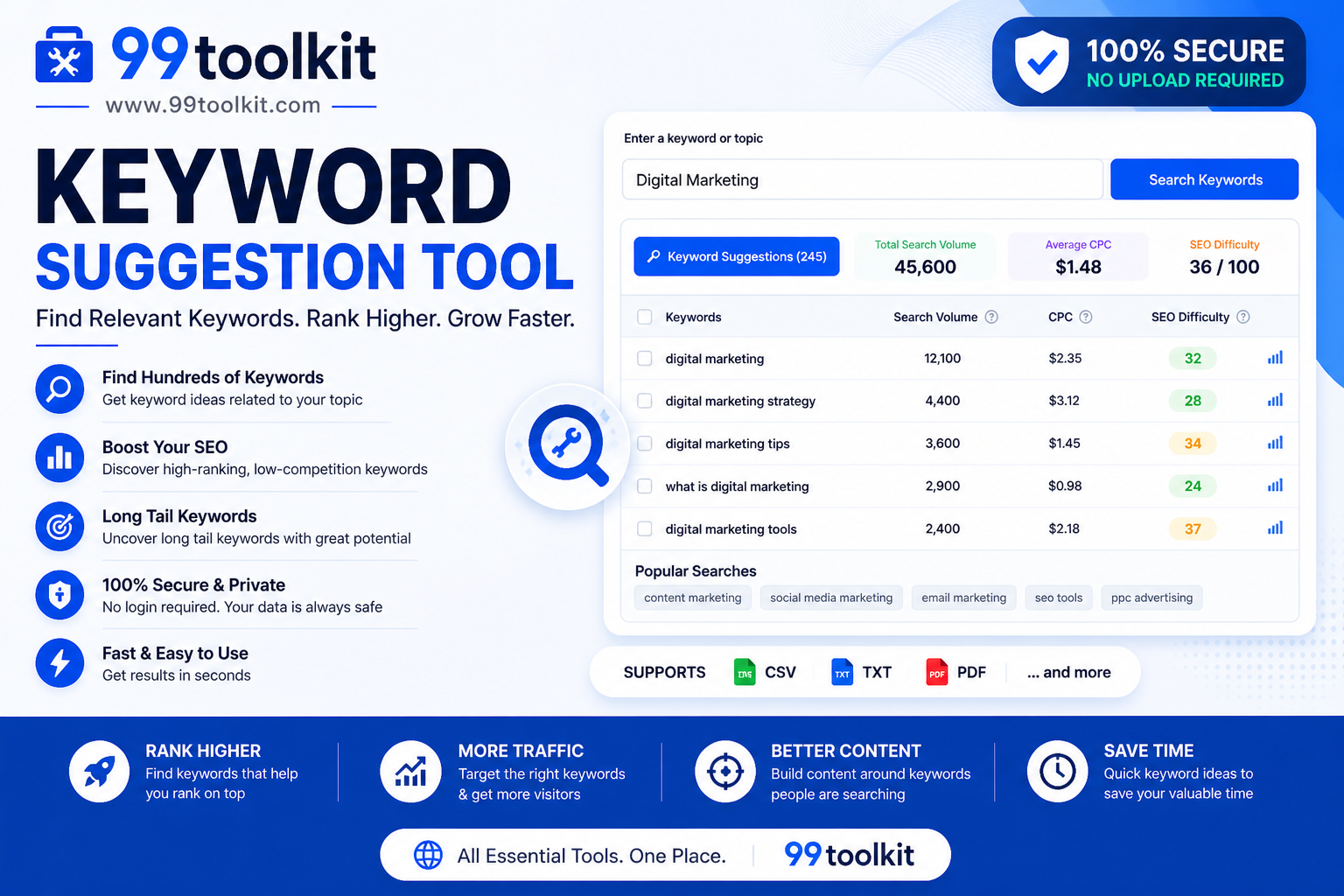
Creating great content is only half the battle in the world of digital marketing. If you write an incredible article about “shoes,” but your audience is actively searching for “best running sneakers for flat feet,” your content will remain undiscovered. The secret to bridging the gap between what you create and what people want is keyword research. However, premium SEO software often costs hundreds of dollars a month. For many bloggers and small businesses, this is simply out of reach. That is why leveraging a free keyword suggestion tool is a game-changer.
In this guide, we will explore the mechanics of keyword research, why long-tail keywords are the secret to rapid growth, and how you can use the free suggestion tool on 99toolkit to uncover high-converting search terms.
What is a Keyword Suggestion Tool?
A keyword suggestion tool is an SEO utility that takes a broad topic (often called a seed keyword) and generates a list of related, highly specific phrases that real people are actively typing into search engines like Google, Bing, and YouTube.
Instead of guessing what your audience wants to read, the tool taps into search engine autocomplete APIs and related search databases. For example, typing “coffee” might yield suggestions like “how to brew cold brew coffee,” “best coffee beans for espresso,” or “coffee shops near me.” These suggestions provide direct insight into user intent.
Key Features of the 99toolkit Keyword Suggestion Tool
Our tool is designed to cut through the noise and give you actionable data. Here is what makes it essential for your content strategy:
- Real-Time Autocomplete Data: We pull live suggestions directly from search engine autocomplete APIs, guaranteeing the keywords are currently trending.
- Long-Tail Focus: The tool automatically expands your seed keyword into long, multi-word phrases that are easier to rank for.
- Alphabetical Expansion: The system automatically appends every letter of the alphabet to your seed keyword (e.g., “coffee a…”, “coffee b…”) to uncover hundreds of hidden variations.
- One-Click Export: Easily copy your generated list of keywords to your clipboard or download them as a CSV for use in your content calendar.
How to Use the Keyword Suggestion Tool (Step-by-Step)
Finding your next big blog post idea takes only seconds. Follow these steps:
- Enter a Seed Keyword: Type a broad 1-to-2 word topic related to your niche (e.g., “digital marketing” or “dog training”) into the search bar.
- Select Your Region/Language: If the option is available, select your target country to ensure the suggestions are localized to your audience.
- Generate Suggestions: Click the search button and wait a few seconds as the tool queries multiple databases.
- Filter the Results: Browse through the generated list. Look for questions (who, what, where, why) and long phrases.
- Export the Data: Copy the best keywords and paste them into your content planner or spreadsheet.
Why Keyword Research is Crucial (The Benefits)
Publishing content without keyword research is like driving in the dark without headlights. Here is why you need to research first:
- Guaranteed Search Volume: By writing about suggested topics, you know for a fact that people are looking for the answer. You never waste time writing an article nobody wants to read.
- Lower Competition: Broad keywords like “fitness” are dominated by massive corporations. Long-tail suggestions like “at home fitness routine for seniors” have much lower competition, allowing a new blog to rank on the first page.
- Higher Conversion Rates: Users typing long, specific phrases know exactly what they want. If your article provides the exact answer, they are much more likely to subscribe to your newsletter or buy your product.
Real-Life Use Cases
Who relies on keyword suggestions the most?
Content Marketers and Bloggers: When planning an editorial calendar for the next quarter, marketers use suggestion tools to generate a massive list of FAQ-style blog posts that will drive steady, organic traffic.
E-commerce Store Owners: When writing product descriptions, store owners use keywords to ensure their products show up when customers search for specific features, like “waterproof running jacket with hood.”
YouTube Creators: Video titles make or break a YouTube channel. Creators use suggestion tools to find exact-match phrases to use in their video titles and tags to trigger the YouTube algorithm.
Tips for Best Results
To get the most out of your keyword research, keep these strategies in mind:
- Target Questions: Look specifically for suggestions that start with “how to,” “what is,” or “why.” Answering these questions directly in your article is the easiest way to win Google Featured Snippets.
- Use Modifiers: Add modifiers like “best,” “review,” “top,” or the current year to your seed keyword to find users who are ready to make a purchase.
- Check the SERPs: Before you write the article, actually search the keyword on Google. If the first page is filled with massive sites like Wikipedia or Amazon, pick a slightly longer, less competitive keyword.
Common Mistakes to Avoid
Avoid these frequent keyword research blunders:
- Keyword Stuffing: Finding 20 great keywords and trying to force all of them into a 500-word article will get you penalized by Google. Pick one primary keyword per article, and use 3 or 4 secondary keywords naturally.
- Ignoring Search Intent: If a user searches for “buy running shoes,” they want an online store. If you write a 3000-word history of running shoes targeting that keyword, you will not rank because your content does not match the buyer’s intent.
Once you have written your optimized article, make sure you don’t overdo it by using our Keyword Density Checker. Then, generate the perfect title and description using our Meta Tag Generator.
FAQs
1. What is a long-tail keyword?
A long-tail keyword is a highly specific search phrase that usually contains 3 to 6 words. They have lower monthly search volumes but are much easier to rank for and convert at much higher rates.
2. Does this tool show exact monthly search volumes?
Our free tool focuses on generating hundreds of viable suggestions directly from autocomplete APIs. For exact monthly search volumes and difficulty scores, you would typically need a paid premium SEO tool.
3. How many keywords should I target per page?
Best practices dictate targeting one primary long-tail keyword in your Title and H1, and 2 to 4 closely related secondary keywords naturally throughout the body text.
4. Is the 99toolkit keyword suggestion tool really free?
Yes. You can run as many searches as you like and export unlimited lists without paying a dime or creating an account.
Conclusion
The foundation of every successful website is a solid understanding of what its audience is searching for. Stop guessing what to write about and start letting real search data guide your content strategy.
Unlock hundreds of untapped, high-converting topics today. Bookmark the free keyword suggestion tool on 99toolkit, and start building a content calendar that guarantees traffic and growth.