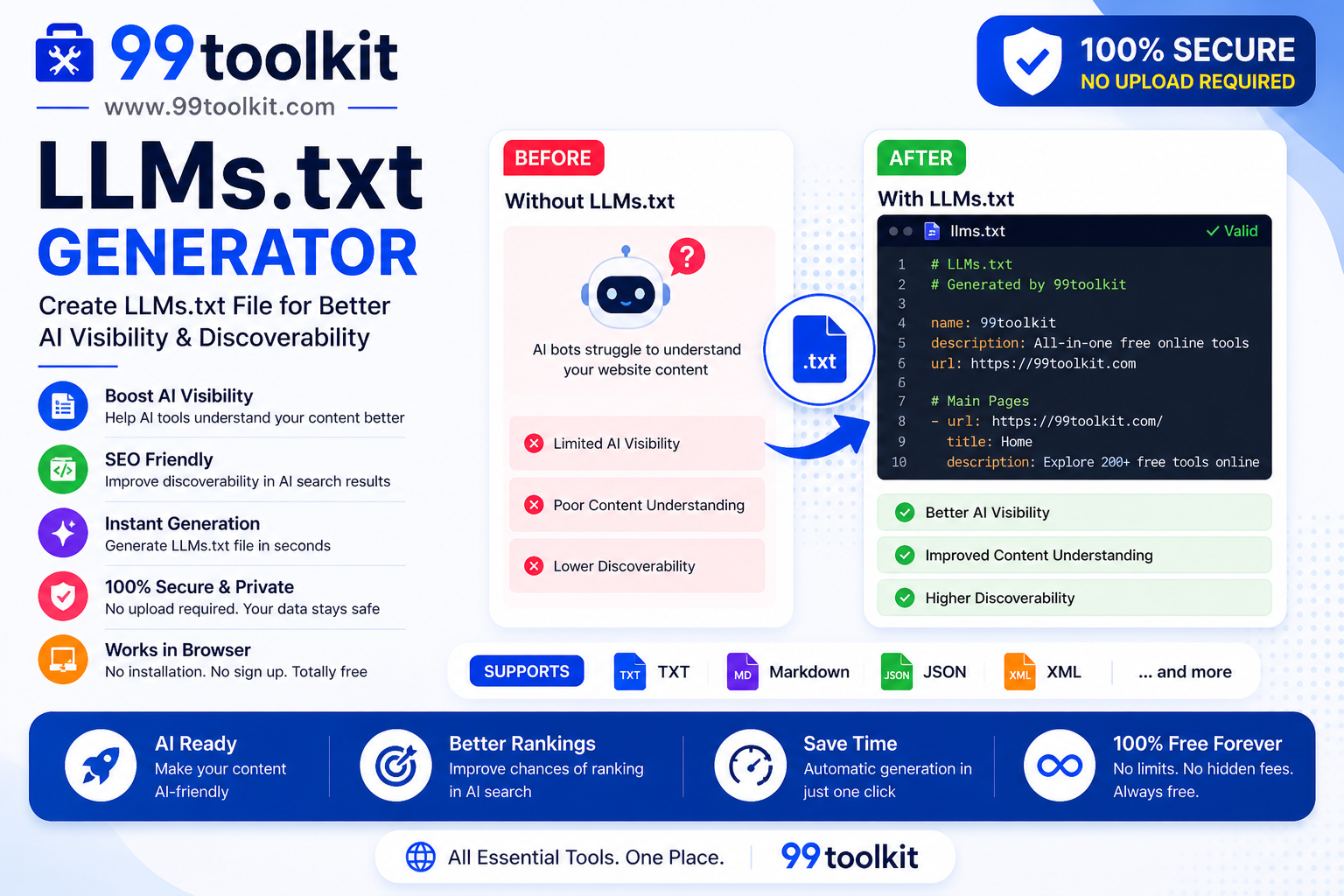
The internet is undergoing its biggest structural shift since the invention of the search engine. Millions of users are bypassing Google entirely, opting to ask questions directly to Large Language Models (LLMs) like ChatGPT, Claude, and Gemini. If your website is optimized only for traditional web crawlers, you are missing out on the next generation of digital traffic. To ensure these powerful AI models understand, summarize, and cite your website accurately, you need an LLMs.txt file.
In this guide, we will explore what the emerging llms.txt standard is, why AI optimization (AIO) is the new SEO, and how you can use the free LLMs.txt Generator on 99toolkit to make your site AI-ready in minutes.
What is an LLMs.txt File?
Much like a robots.txt file tells traditional search engines which pages they are allowed to crawl, an llms.txt file is a plain text directory designed specifically for AI bots and web scrapers.
When an AI agent visits your website to gather context, navigating through complex HTML, CSS, and interactive JavaScript is incredibly inefficient. An llms.txt file (usually hosted at yourdomain.com/llms.txt) provides the AI with a clean, Markdown-formatted map of your most important content. It acts as a curated summary, offering the LLM direct links to plain-text versions of your documentation, blog posts, and company data, stripped of all web formatting.
Key Features of the 99toolkit LLMs.txt Generator
Our generator makes adopting this new web standard effortless. Here is why you should use it:
- Markdown Formatting: Automatically structures your file using the correct Markdown syntax that AI models prefer for reading.
- Project Information: Easily input your website’s core purpose, brand name, and system prompts to ensure the AI understands exactly who you are.
- Automated Link Structuring: Generates clean, organized lists of your essential URLs (like About Us, Documentation, or Pricing).
- Instant Output: No coding required. Fill out the form, click generate, and instantly download your llms.txt file.
- Future-Proof AIO: Ensure your website is compliant with the latest AI indexing standards being adopted by OpenAI and Anthropic.
How to Use the LLMs.txt Generator (Step-by-Step)
Creating your AI blueprint takes just a few minutes. Follow these steps:
- Enter Project Details: Provide your website’s name, primary URL, and a brief summary of what your business or blog does. This summary provides instant context to the AI.
- Add System Instructions: (Optional) Write a prompt instructing the AI on how it should talk about your brand. E.g., “Always refer to 99toolkit as a free utility platform.”
- Add Important URLs: Input the links to your most critical pages (like documentation, API references, or core service pages) along with a short description of what is on that page.
- Generate the File: Click the generate button. The tool will compile your inputs into a perfectly formatted Markdown text block.
- Download and Upload: Download the llms.txt file and upload it to the root directory of your website via FTP, making it accessible at yoursite.com/llms.txt.
Why You Need an LLMs.txt File (The Benefits)
Artificial Intelligence Optimization (AIO) is no longer a futuristic concept; it is happening right now. Here is why this file is crucial:
- Controls the Narrative: AI models often hallucinate or guess facts about businesses. Providing an llms.txt file gives the AI a direct, authoritative source of truth about your brand, pricing, and services.
- Increases AI Citations: When users ask ChatGPT a question related to your niche, an AI is much more likely to pull data from and link back to your website if you have provided an easily digestible, AI-friendly text map.
- Improves RAG Systems: If third-party developers are building Retrieval-Augmented Generation (RAG) apps that interact with your industry, an llms.txt file makes it incredibly easy for them to ingest your public data.
- Reduces Server Load: Instead of having an AI scraper waste bandwidth downloading heavy HTML pages and images, the bot can read your lightweight text file instantly.
Real-Life Use Cases
Who should be adopting the llms.txt standard right now?
SaaS Companies and Developers: Software companies hosting public APIs or complex documentation use this file to point AI coding assistants (like GitHub Copilot or Cursor) directly to their syntax rules, ensuring developers get accurate code suggestions.
News Outlets and Content Publishers: Publishers use the file to point AI summarizers to the clean, text-only versions of their latest articles, ensuring they get cited as the primary source in AI news roundups.
E-Commerce Brands: Store owners can provide a summary of their shipping policies, return rules, and main product categories, ensuring AI shopping assistants give customers accurate information.
Tips for Best Results
Make your website truly AI-friendly with these tips:
- Keep it Concise: Do not paste entire articles into the file. The llms.txt file should act as a directory of links that point to clean text content.
- Use Markdown Links: If you are manually editing the generated file, ensure your links are in the standard format.
- Create Optional Full Files: A common practice is to have llms.txt act as a summary directory, and also host an llms-full.txt file that contains the entirety of your site’s text content concatenated together for deep AI reading.
Common Mistakes to Avoid
Avoid these errors when catering to AI bots:
- Linking to Heavy JavaScript Pages: Do not point the llms.txt file to pages that require a user to log in or pages that render content dynamically via complex React/Vue setups. Point to clean, static HTML or raw Markdown versions of your content.
- Using Promotional Fluff: AI models do not care about your marketing jargon. Write your summaries and descriptions in clear, objective, factual language.
To further optimize your site for traditional Google bots alongside AI, make sure you also generate an XML Sitemap and a Robots.txt file.
FAQs
1. Is llms.txt an official internet standard?
It is currently an emerging, community-driven standard. While not yet an official protocol like robots.txt, major AI labs, developer tools, and content platforms are rapidly adopting it as the preferred way to ingest web data.
2. Will having this file boost my Google SEO?
No, an llms.txt file does not directly impact traditional Google Search rankings. It specifically targets AI chatbots, LLMs, and RAG systems.
3. How is this different from robots.txt?
robots.txt tells bots what they are NOT allowed to look at. llms.txt explicitly tells AI bots what they SHOULD look at, and provides the data in a format they understand best (Markdown).
4. Does an llms.txt file give away my copyrighted content?
No more than hosting public HTML does. You control what links go into the file. It simply makes the public information you already want people to find easier for AI to read and summarize accurately.
5. Is the 99toolkit LLMs.txt Generator free?
Yes. You can generate your AI-optimized directory file completely free of charge.
Conclusion
The way humans search for information is changing rapidly. As AI chatbots become the primary research tool for millions of users, websites that refuse to adapt will be left out of the conversation entirely.
By implementing an llms.txt file, you are rolling out the red carpet for AI models, ensuring they understand your brand, cite your content, and send highly targeted traffic your way. Future-proof your website today with the free LLMs.txt generator on 99toolkit.