We live our entire lives online. From online banking and healthcare portals to social media and work emails, your digital identity is protected by one primary line of defense: your passwords. Shockingly, the most common password used globally is still “123456.” If you use the same simple password across multiple websites, a single data breach on an obscure forum can give hackers access to your bank account. The only way to truly secure your data is to use complex, unique combinations for every single account. To do this effortlessly, you need a Random Password Generator.
In this comprehensive guide, we will explore why human-created passwords fail, the mechanics of brute-force attacks, and how you can use the free password generator on 99toolkit to create virtually uncrackable credentials in seconds.
What is a Random Password Generator?
A random password generator is an online security utility that uses complex cryptographic algorithms to instantly create strings of characters that are completely unpredictable.
When humans try to create random passwords, we usually fail. We tend to use familiar patterns like birth years, pet names, or consecutive keyboard strokes (like “qwerty”). Hackers know this and program their software to guess these patterns first. A true password generator removes human psychology from the equation, spitting out a chaotic mix of uppercase letters, lowercase letters, numbers, and special symbols that no human could ever guess.
Key Features of the 99toolkit Password Generator
Our security tool is designed to give you total control over your digital safety. Here is why it is the best tool for the job:
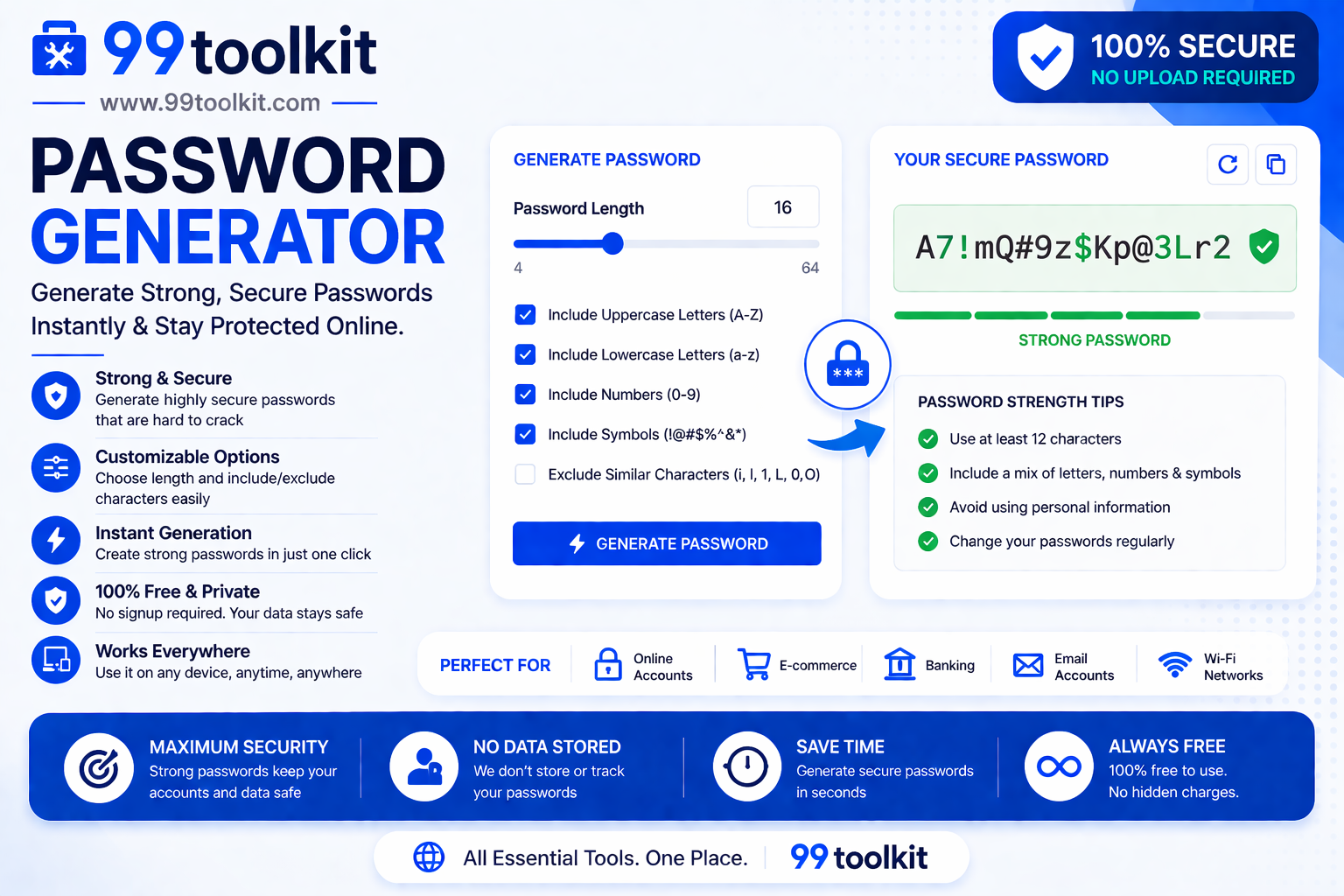
- Customizable Length: Generate anything from a quick 8-character PIN to a massive, military-grade 64-character master password.
- Character Toggles: Easily choose whether to include uppercase letters, lowercase letters, numbers, and special symbols based on the website’s specific requirements.
- Client-Side Security: The password generation happens entirely within your web browser using JavaScript. No data is ever sent to our servers, ensuring your new password cannot be intercepted.
- Instant Copying: Copy your newly generated password to your clipboard with a single click.
- Exclude Ambiguous Characters: Automatically remove characters that look similar (like the letter ‘O’ and the number ‘0’, or ‘I’ and ‘l’) to prevent typing errors.
How to Use the Password Generator (Step-by-Step)
Creating an uncrackable password takes only a few seconds. Follow these steps:
- Select Your Length: Use the slider or input field to choose how many characters your password should be. We strongly recommend a minimum of 16 characters.
- Choose Your Character Sets: Check the boxes to include Uppercase, Lowercase, Numbers, and Symbols. The more you include, the stronger the password.
- Generate: The tool will instantly output a random string of characters on the screen. If you don’t like it, click the regenerate button for a new one.
- Copy the Password: Click the copy button to safely store the password in your clipboard.
- Save It Securely: Immediately paste the new password into your chosen website and save it securely in a trusted Password Manager.
Why You Need Strong Passwords (The Threats)
Why go through the trouble of using complex passwords? Because automated hacking tools are more powerful than ever:
- Brute Force Attacks: Hackers use massive server farms to guess billions of password combinations per second. A 6-character lowercase password can be cracked by a modern graphics card instantly. A 16-character mixed-case password would take trillions of years to guess.
- Credential Stuffing: If you use the same password for Netflix and your email, and Netflix gets breached, hackers will run your email/password combo against thousands of other websites automatically. Unique passwords isolate the damage.
- Dictionary Attacks: Hackers load dictionaries of common words, pop culture references, and sports teams into their software. A generated password bypasses dictionary attacks entirely because it contains no real words.
Real-Life Use Cases
Who relies on random password generators?
Everyday Internet Users: When signing up for a new e-commerce site or a newsletter, smart users immediately generate a random password rather than reusing an old one, ensuring their main accounts stay safe if the new site gets hacked.
IT Administrators: When setting up new email accounts or server access for employees, IT admins generate secure, temporary passwords that the employee must use to log in for the first time.
Crypto Investors: When securing software wallets or generating seed phrase encryption keys, investors use maximum-length (64+ characters) generated passwords to protect their digital assets.
Tips for Best Results
Maximize your online security with these vital habits:
- Length Beats Complexity: A 20-character password of just letters is mathematically harder to crack than an 8-character password with every symbol imaginable. Always prioritize length.
- Use a Password Manager: You are not supposed to remember these generated passwords! Use a secure password manager (like Bitwarden, 1Password, or Apple Keychain) to store them safely. You only need to remember one strong Master Password.
- Enable Two-Factor Authentication: Even the strongest password in the world can be stolen via a phishing email. Always enable 2FA on your important accounts.
Common Mistakes to Avoid
Avoid these dangerous security practices:
- Making Minor Tweaks: Taking your usual password “Password123” and changing it to “Password124” for a new website is not secure. Hackers’ algorithms look for these exact incremental changes.
- Writing it on a Sticky Note: Generating a brilliant 20-character password and then writing it on a piece of paper stuck to your monitor defeats the purpose of digital security.
Curious about how strong your current passwords are? Run them through our Password Strength Checker. If you are a developer setting up server access, you might also need our Htpasswd Generator.
FAQs
1. Is it safe to use an online password generator?
Yes, provided it is a client-side generator like 99toolkit. Our tool uses JavaScript to generate the password directly inside your browser. The password never travels over the internet and is never stored on a server.
2. Can I remember a generated password?
Probably not, and that is the point! Random passwords are meant to be generated, copied, and immediately saved into a secure Password Manager.
3. How long should a good password be?
For modern security standards, 12 characters is the absolute minimum, but 16 to 20 characters is highly recommended for important accounts like email or banking.
4. What if a website doesn’t allow special symbols?
Some older websites have strict (and outdated) rules that prohibit symbols. In this case, simply uncheck the Symbols box on the generator and increase the length to 20+ characters to maintain high security.
5. Is the 99toolkit password generator free?
Yes. You can generate unlimited, highly secure passwords completely free of charge.
Conclusion
In an era of weekly corporate data breaches and advanced hacking tools, hoping your pets name and birth year will keep your bank account safe is a massive risk. True security requires randomness.
Take your digital security seriously. Bookmark the free Password Generator on 99toolkit today, start transitioning your accounts to unique, complex passwords, and enjoy the peace of mind that comes with being truly unhackable.