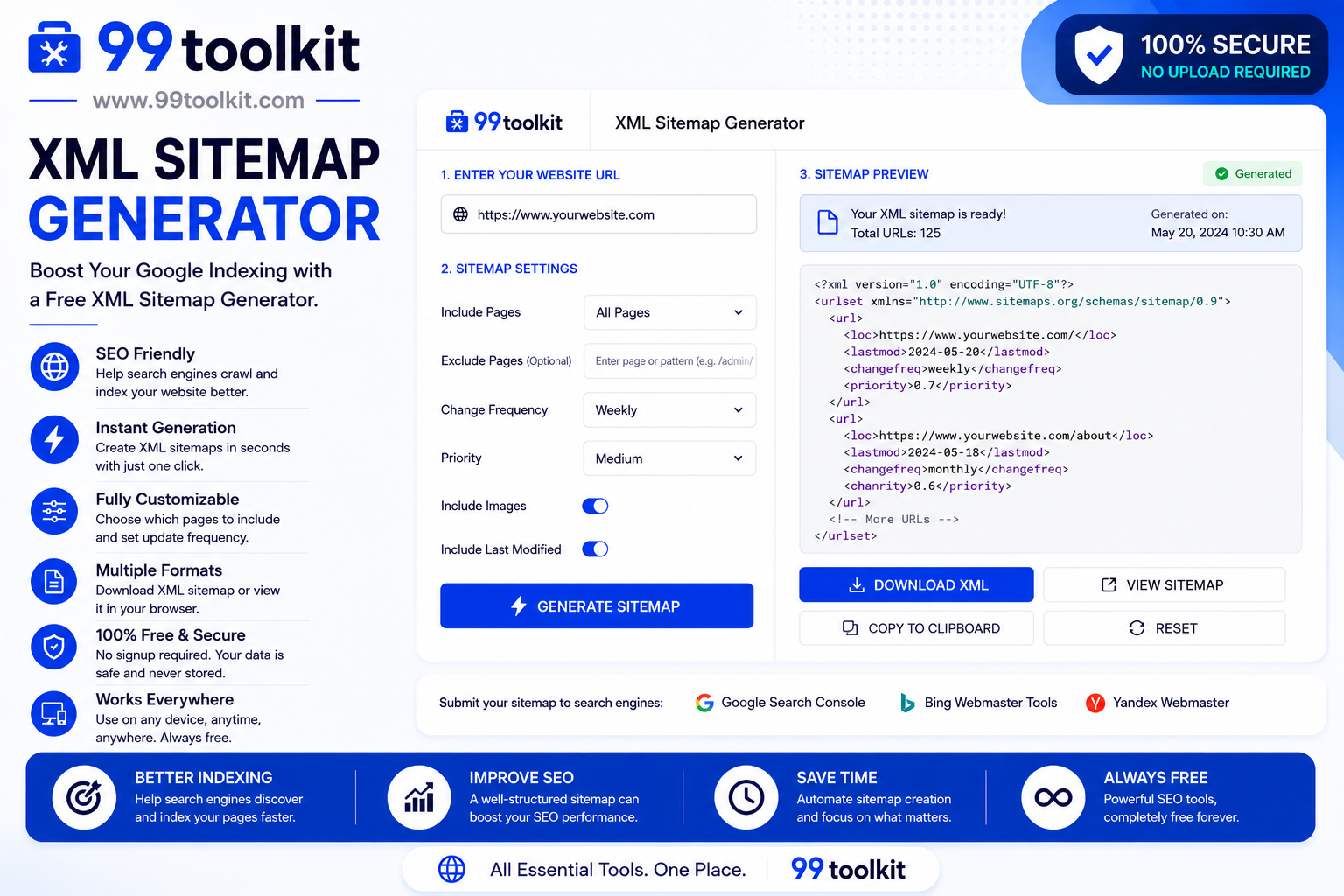
You have spent weeks designing your website and writing incredible content. You launch it to the public, wait a few days, and search for it on Google—only to find that it is nowhere to be seen. What went wrong? The harsh reality of SEO is that if search engines don’t know your pages exist, you won’t get any traffic. This is why you absolutely need an XML Sitemap Generator.
In this comprehensive guide, we will explain exactly what a sitemap is, why it is the most critical piece of technical SEO, and how you can use the free tools on 99toolkit to map out your entire website in seconds.
What is an XML Sitemap?
An XML sitemap is a specialized text file that lists all the important URLs on your website. Think of it as a blueprint or a directory specifically written for search engine bots (like Googlebot and Bingbot). It is not meant to be read by human visitors.
When search engine crawlers arrive at your site, they read this XML file to discover exactly what pages exist, when they were last updated, and how important they are relative to other pages on your site. Without a sitemap, bots must rely purely on following internal links, which often leads to them missing deep pages or newly published content.
Key Features of the 99toolkit Sitemap Generator
Our sitemap generator takes the complexity out of technical SEO. Here is why webmasters trust our tool:
- Deep Crawling: Our bot navigates through your site just like Google does, finding every active page and link.
- Automated Formatting: It outputs the exact XML syntax required by the strict protocol supported by Google, Yahoo, and Microsoft.
- Priority and Change Frequencies: The tool can automatically assign (or allow you to define) how often a page updates and its priority level on your domain.
- Error Detection: As it builds the sitemap, it will ignore broken links (404 errors), ensuring you only submit healthy pages to search engines.
- Instant Download: Generate your sitemap.xml file instantly and download it directly to your computer.
How to Use the Sitemap Generator (Step-by-Step)
Creating your site blueprint is entirely automated. Just follow these steps:
- Enter Your URL: Paste the full homepage URL of your website into the generator.
- Set Optional Parameters: If you wish, you can define how often your site changes (daily, weekly, monthly) and set a default priority.
- Start the Scan: Click generate. The tool will deploy a crawler to map out your domain. This may take a few moments depending on the size of your website.
- Download the File: Once complete, click the download button to save your new sitemap.xml file.
- Upload to Root: Use FTP or your web host’s file manager to upload the sitemap.xml file to the root folder of your website.
- Submit to Google: Log into your Google Search Console, navigate to the Sitemaps section, and submit your URL to force Google to crawl it.
Why Sitemaps are Crucial for SEO (The Benefits)
Submitting an XML sitemap is widely considered SEO 101. Here are the immediate benefits:
- Instant Discovery of New Content: When you publish a new blog post, Google might take weeks to find it naturally. A sitemap points Google directly to the new URL instantly.
- Solves Internal Linking Issues: If you have orphan pages (pages that are not linked to from anywhere else on your site), a sitemap ensures crawlers can still find them.
- Helps Massive Websites: For e-commerce stores with tens of thousands of products, sitemaps are the only reliable way to ensure every product gets indexed.
- Media Indexing: Advanced sitemaps can also provide Google with specific information about images and videos hosted on your pages.
Real-Life Use Cases
Who absolutely must use a sitemap generator?
New Websites: Brand new domains have very few external websites linking to them. Without a sitemap, Google might not discover a new website for months.
News Outlets and Blogs: Sites that publish time-sensitive content daily need Google to index their articles within minutes. Setting a daily change frequency in the sitemap helps prompt faster crawling.
Website Migrations: If you redesign your site and change your URL structures, submitting a new sitemap forces Google to process your changes and update the search results quickly.
Tips for Best Results
Follow these technical SEO best practices when managing your sitemaps:
- Reference it in Robots.txt: Always add a line at the bottom of your robots.txt file indicating your sitemap URL. This helps alternate search engines find it easily.
- Keep it Updated: If you use a static site, you must regenerate and re-upload your sitemap every time you add a batch of new pages.
- Stay Under Limits: A single XML sitemap can contain a maximum of 50,000 URLs and be no larger than 50MB uncompressed. If your site is bigger, you need to split it into a Sitemap Index.
Common Mistakes to Avoid
Be careful not to make these sitemap errors that could hurt your SEO:
- Including Noindex Pages: Do not include URLs in your sitemap that you have blocked via robots.txt or meta tags. This sends conflicting signals to Google.
- Including Redirects: Your sitemap should only contain final, 200-status-code destination URLs. Never include old links that 301 redirect to a new page.
- Obsessing over Priority Tags: The priority tag is largely ignored by modern Google algorithms. Focus on building a clean list of URLs rather than tweaking priority numbers.
Need to block certain pages from being crawled altogether? Use our Robots.txt Generator. Need to optimize your individual pages before submitting them? Run them through our Meta Tag Generator.
FAQs
1. Do I need a sitemap if I use WordPress?
Modern versions of WordPress generate a basic sitemap natively. However, generating a custom one ensures you have full control over what is included and excluded from search engines.
2. Is an HTML sitemap the same as an XML sitemap?
No. An HTML sitemap is a web page designed for human visitors to navigate your site easily. An XML sitemap is pure code designed exclusively for search engine bots.
3. How often should I submit my sitemap to Google Search Console?
You only need to submit the URL once. After that, Google will periodically re-fetch the file on its own schedule to check for new links.
4. Will a sitemap guarantee that my pages rank on the first page?
No. A sitemap guarantees that Google knows your pages exist (indexing). How well those pages rank depends entirely on your content quality, backlinks, and on-page SEO.
5. Is the 99toolkit sitemap generator free to use?
Yes. Our crawler will map out your website and generate a clean, error-free XML sitemap completely free of charge.
Conclusion
Creating and submitting an XML sitemap is one of the most vital technical steps you can take to ensure your website’s success. It acts as a direct line of communication between you and search engines, ensuring your hard work is discovered and indexed promptly.
Don’t leave your organic traffic up to chance. Use the free XML sitemap generator on 99toolkit to build your site blueprint, submit it to Google today, and watch your search visibility grow.